Last time we only compared Netweir with Scrapy, Scrapling and Firecrawl. That left out most of what you’d actually be choosing between. If you’re picking a crawler, you’re probably looking at Crawlee or Colly too, and if you need a browser, Playwright and Puppeteer are the names you already know.
So this time it’s everyone. Ten crawlers on one 10,000-page crawl, then three browser drivers rendering the same pages in Chrome and in Firefox.
Two results to have in your head before the tables. Colly, the Go crawler, finished the crawl 3% ahead of Netweir. And in the browser, Netweir was the slowest of the three drivers in both browsers. Neither is buried below.
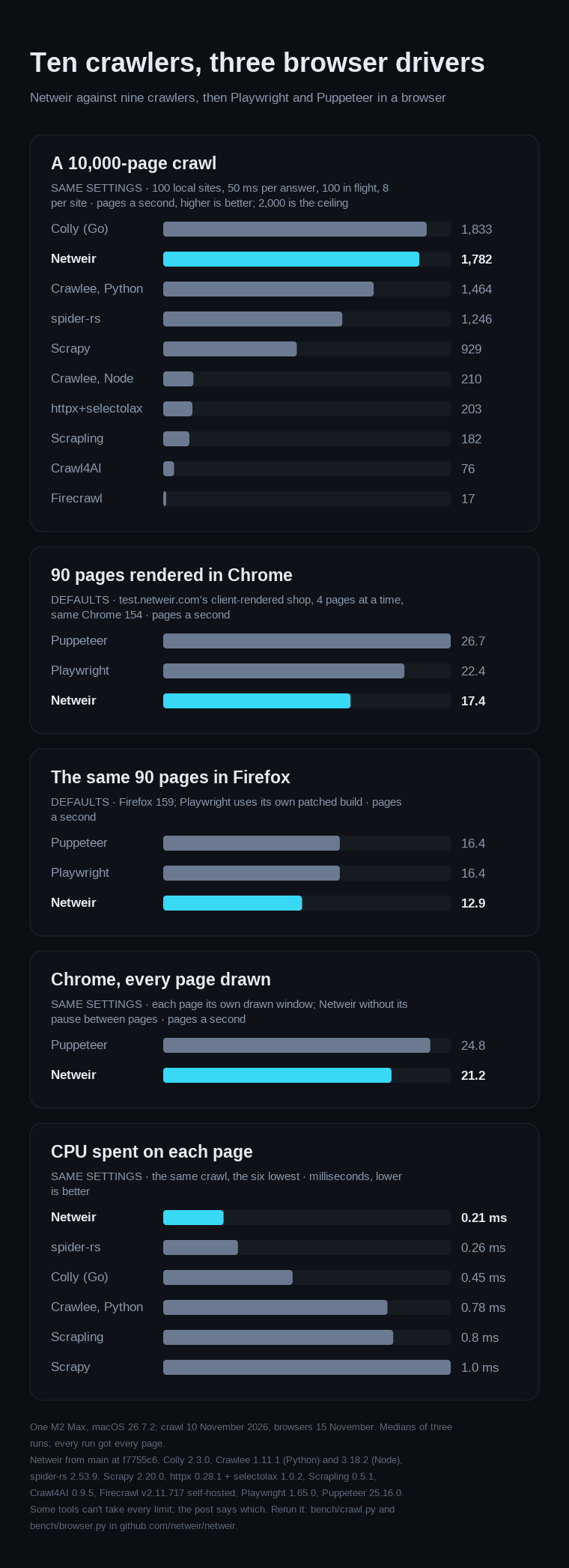
bench/crawl.py and bench/browser.py. There's a wide version for sharing.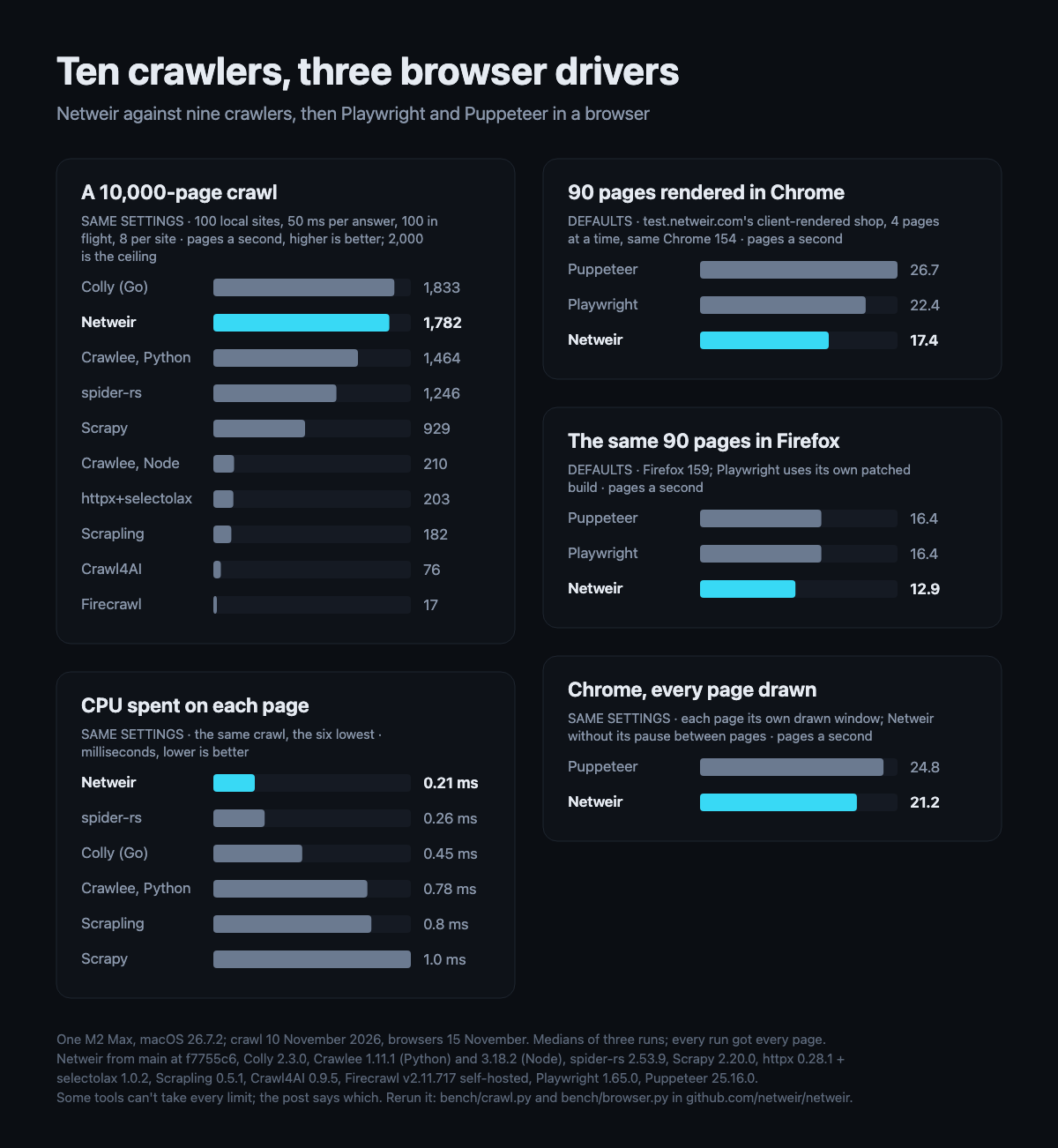
The bench
Everything ran on one machine, the crawl on 10 November 2026 and the browser runs on 15 November, each run starting with the load average under 3. We started one set of browser runs while a build was going and threw it away: in its first run most tools were a fifth to a quarter slower, which tells you how much a busy laptop moves these numbers.
| Computer | Apple M2 Max, 12 cores, 32 GB |
| OS | macOS 26.7.2 |
| Runtimes | Python 3.13.15, Node 22.14, Go 1.27.2, Rust 1.99 |
| Browsers | Chrome for Testing 154.0.8037.92 and Firefox 159.0.1, shared by every driver that can take them |
| Docker, for Firecrawl | its VM had 12 CPUs and 8 GB; Firecrawl’s compose file gives its API 4 CPUs and 8 GB and its Playwright service 2 CPUs and 4 GB |
And the tools, at the versions we installed that day:
| Group | Tool | Version |
|---|---|---|
| Ours | Netweir | main at f7755c6, unreleased, after 0.7.1 |
| Python crawlers | Scrapy | 2.20.0 |
| Scrapling | 0.5.1 | |
| Crawlee for Python | 1.11.1 | |
| httpx + selectolax | 0.28.1 + 1.0.2 | |
| AI and API crawlers | Crawl4AI | 0.9.5 |
| spider-rs | 2.53.9 | |
| Firecrawl, self-hosted | v2.11.717, from its own docker-compose.yaml |
|
| Other languages | Colly (Go) | 2.3.0 |
| Crawlee for Node.js | 3.18.2 | |
| Browser drivers | Playwright | 1.65.0 |
| Puppeteer | 25.16.0 |
Every figure is the median of three runs, and every run of every tool got every page.
A 10,000-page crawl, at the same settings
One local server plays 100 sites of 100 pages each, and holds every answer for 50 ms, the way a real server keeps you waiting. Each crawler starts at the 100 front pages, follows every link and pulls a title and a price out of all 10,000 pages.
These are same-settings numbers, not defaults. Every crawler gets 100 requests in flight, 8 per site, no robots.txt and no throttling, so what’s left is how well each one does the same job. Their defaults differ a lot, and we didn’t time them at their defaults this time.
| Pages a second | CPU per page | Peak memory | |
|---|---|---|---|
| Colly 2.3 (Go) | 1,833 | 0.45 ms | 102 MB |
| Netweir | 1,782 | 0.21 ms | 89 MB |
| Crawlee for Python 1.11 | 1,464 | 0.78 ms | 256 MB |
| spider-rs 2.53 (Rust) | 1,246 | 0.26 ms | 303 MB |
| Scrapy 2.20 | 929 | 1.0 ms | 115 MB |
| Crawlee for Node.js 3.18 | 210 | 2.0 ms | 1,004 MB |
| httpx + selectolax | 203 | 3.4 ms | 207 MB |
| Scrapling 0.5 | 182 | 0.8 ms | 73 MB |
| Crawl4AI 0.9 | 76 | 5.5 ms | 136 MB |
| Firecrawl, self-hosted | 17 | 137 ms | about 3.8 GB |
Do the arithmetic on the server first. A hundred requests in flight, each taking 50 ms, is 2,000 pages a second at the very most. Colly gets to 92% of that and Netweir to 89%. Both are mostly waiting on the server, and the 51 pages a second between them is about 0.15 s over the whole crawl.
What separates them is what the waiting costs. Netweir used 0.21 ms of CPU per page, the least of the ten and under half of Colly’s 0.45. On a crawl that’s bound by the network you won’t feel that. On a machine running eight crawls at once, or a cloud bill by the CPU-hour, you will.
Memory tells a similar story from the other side. Scrapling held the least, 73 MB, and Netweir was next at 89. Crawlee for Node.js went past a gigabyte.
Not every tool can be held to every limit, and here’s where they can’t:
- Crawlee, both versions, has no per-site limit, only the total.
- spider-rs and Crawl4AI keep their limit per site, so the runners crawl a few sites at a time to hold about 100 in flight: 12 sites of 8 for spider-rs, 5 of 20 for Crawl4AI, whose per-site limit is its own 20. Crawl4AI also fetched each front page twice; we counted pages once.
- Scrapling is held to its HTTP session’s 10 connections, which it doesn’t let you change. Ten connections at 50 ms each is 200 pages a second at most, and it got 182.
- Colly fetched one page twice in one of its three runs. Its check for pages it has already seen can race when it crawls in parallel.
- Firecrawl gets one crawl job per site, 8 pages at a time. It renders every page in its Playwright service, which its compose file caps at 2 CPUs, and that cap is where its time goes. It can’t be told to skip robots.txt (that’s an enterprise feature), so it fetches one more file per site than the rest. Its CPU and memory are summed over its containers, and about 2.7 GB of that memory is in use before the crawl starts. We ran it on its own, so it wasn’t sharing the machine, and it gave 17 or 18 pages a second every time.
Ninety pages in a browser
Some pages are an empty shell until a script fills them in, and for those you need a browser. The test is test.netweir.com’s client-rendered shop: each of its 30 items arrives empty, then fetches its product and draws it. Every driver renders all 30 three times over, four pages at a time in one headless browser, waits for the item to appear, reads its name and price, and gets checked against the site’s answer key.
The first table is each driver as it ships, given the same browser binaries. Playwright can’t drive a stock Firefox, so its Firefox rows use its own patched build of 159.
| At defaults | Pages a second | CPU, whole run | Peak memory |
|---|---|---|---|
| Puppeteer, Chrome | 26.7 | 6.6 s | 1,850 MB |
| Playwright, Chrome | 22.4 | 9.2 s | 2,195 MB |
| Netweir, Chrome | 17.4 | 9.7 s | 1,732 MB |
| Puppeteer, Firefox | 16.4 | 12.8 s | 3,262 MB |
| Playwright, Firefox | 16.4 | 14.9 s | 2,690 MB |
| Netweir, Firefox | 12.9 | 21.1 s | 3,801 MB |
Netweir is last in both browsers. In Chrome it’s 22% behind Playwright and 35% behind Puppeteer, though it peaks at the least memory of the three; in Firefox it’s 21% behind both.
Some of that gap is what Netweir does on purpose, and you should know which part. Netweir’s pages are each a window at 1280 by 807, drawn in full the way your browser draws them. Puppeteer puts all four pages in tabs of one window, so three of them are background tabs that draw nothing. And Netweir pauses for half a second to a second and a half when it turns to a different page, about as long as you’d take, so its timing looks like yours.
So here’s Chrome at the same settings: Puppeteer with every page in its own drawn window, and Netweir without the pause.
| Chrome, same settings | Pages a second | CPU, whole run | Peak memory |
|---|---|---|---|
| Puppeteer, every page drawn | 24.8 | 9.8 s | 1,972 MB |
| Netweir, no pause | 21.2 | 9.3 s | 1,739 MB |
That closes more than half of it. With the pause off (dialog_pause=(0, 0)), Netweir’s Chrome is 15% behind Puppeteer’s, on a little less CPU and about 230 MB less memory. Those two choices explain most of the gap at defaults. The 15% left is ours to find.
Firefox stays a step behind. With the pause and its stealth both off, Netweir’s Firefox does 15.2 pages a second, still under Playwright’s and Puppeteer’s 16.4. We didn’t give Puppeteer’s Firefox drawn windows, so that’s a comparison to read loosely.
The pages come from the live site, so speed moves from run to run more than CPU or memory does. Netweir’s Chrome ranged from 11.8 to 17.7 pages a second across its three runs, and Playwright’s Firefox from 12.9 to 17.1, so read the speed gaps as rough and the CPU and memory as firmer.
CPU and memory here are the whole browser’s, every process added up, sampled five times a second. Memory shared between processes counts once per process. That makes them fair for comparing one tool with another, and not exact.
Where this is narrow
- One machine. Everything ran on one M2 Max. Linux on a server will give different numbers, and we haven’t run it there yet.
- One shape of site. The crawl is 100 identical small sites on localhost with a fixed 50 ms delay. Real sites have slow pages, big pages, redirects and errors, which is what our bad-day tests are for.
- Same settings only, for the crawl. We didn’t run the crawlers at their own defaults this time.
- One kind of browser page. The browser test is one client-rendered page type with one wait. Pages heavy with scripts, scrolling or logins aren’t in it.
- Self-hosted Firecrawl. Its hosted service has engines the self-hosted one doesn’t, and we didn’t test it.
- We wrote the runners. Each tool’s runner is ours, written from its documentation. If you know a faster way to drive one of them, tell us and we’ll rerun it.
Run it yourself
Both scripts are in the repository, and their opening comments say how to install every tool they compare against:
git clone --recurse-submodules https://github.com/netweir/netweir
cd netweir
uv sync --group dev
uv run maturin develop --uv
uv run python bench/crawl.py
uv run python bench/browser.py
Each one skips the tools it can’t find, so you can start with two and add the rest. The benchmarks page has the same tables, and the README has them beside the parsing numbers.